

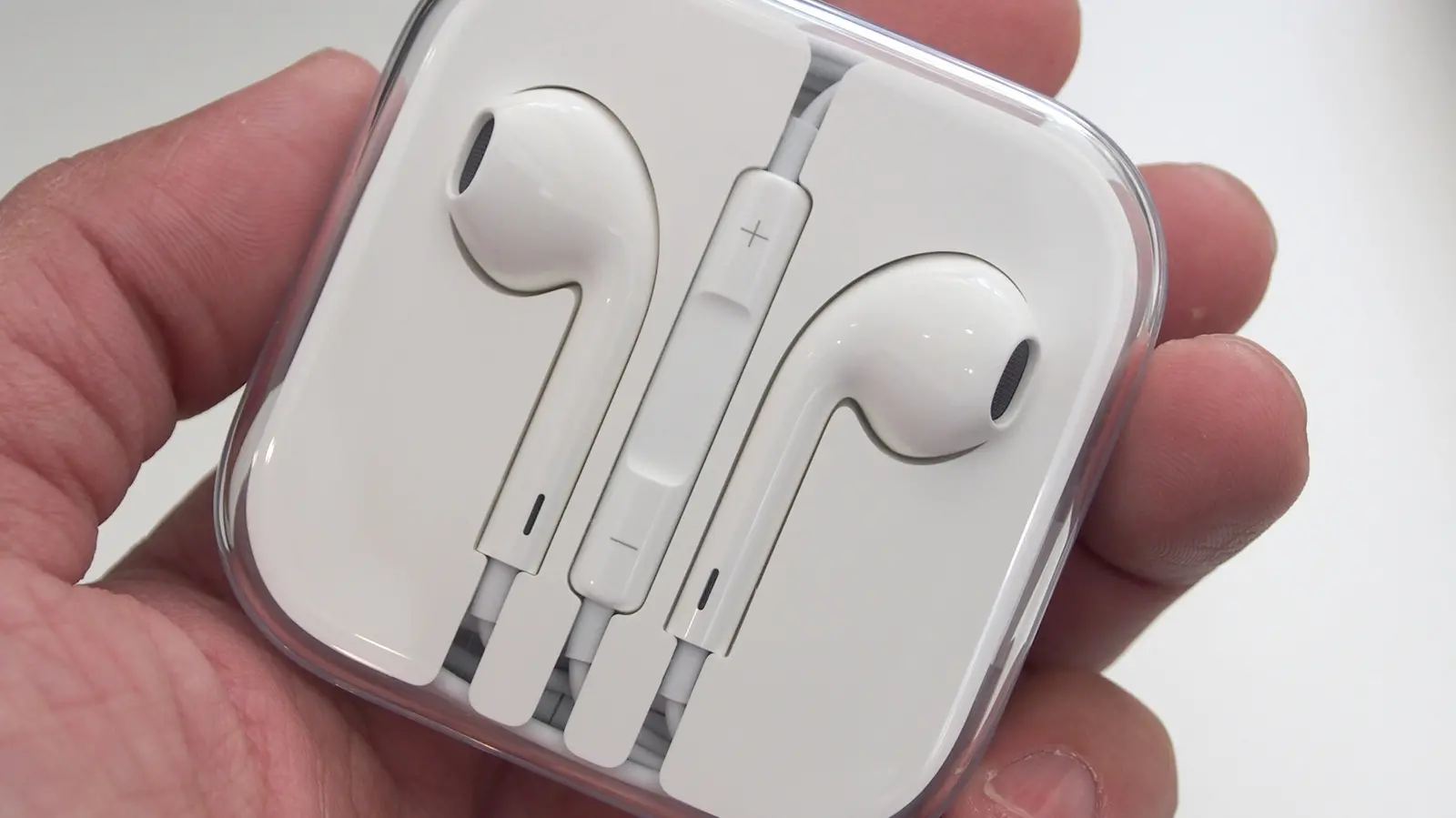
Apple products are not cheap, and that's no secret. Only a select few, like the MacBook Neo, the Mac Mini, and the AirPods 4, could be considered budget or midrange in their respective categories. For deal-hunters, Apple's Certified Refurbished program offers rigorously tested used products with warranties, free delivery, and trade-in options. But if that's not enough, buying used is a great alternative. A number of Apple products are totally worth grabbing off the secondhand market — even when saving money isn't the primary objective.
We want to highlight Apple products you could buy today and still be plenty happy with. Be prepared for battery replacements, repairs, OS limitations, and some compromises that come with aging tech. Nevertheless, these five products surprise us by getting the job done in 2026, despite being made by a company that constantly pushes upgrades.
iPod Classic
Apple may have discontinued the iPod lineup after the iPod Touch, but the iconic device lives on. Younger generations are discovering the magic of vintage tech, particularly iPods, and buying them in droves on platforms like eBay. The iPod Classic holds its own today with 30–160 GB of storage, support for high-bitrate AAC, MP3, and Apple Lossless files, and an original battery life of 36 hours for music playback.
Working pre-owned and new sealed units range from $100 to $500 on eBay. The main maintenance needed is a battery replacement, which Apple no longer supports. iFixit provides guides, but it's best to send it to an expert if you're not confident. You have two choices: use it vanilla as Apple intended, or mod it. Vanilla use adds intentionality — you manually add songs via iTunes — making the experience more meaningful. Modding gives you modern conveniences like Bluetooth, USB-C, SSD storage, and custom operating systems. You can change the wheel, screen, front plate, or even the case, making the iPod feel like a Ship of Theseus.
An Older MacBook
It's common for people to use a MacBook for a decade. Apple's vintage category supports MacBooks back to around 2012, providing occasional security updates and limited repair support. Compare that to Windows laptops, which often struggle after three years. For basic tasks like web surfing and email, a used MacBook is a solid choice.
Definitely replace the battery if possible. The MacBook Air 13-inch from 2017 has a moderately challenging battery replacement (10–20 minutes per iFixit). Avoid models with the infamous butterfly keyboard. For OS support, consider using OpenCore Legacy Patcher to bring supported models up to date with the latest macOS. If that doesn't work, installing Linux on an old MacBook is always an option. YouTuber Action Retro demonstrates installing Ubuntu on a 2011 MacBook Pro, achieving a smooth experience after swapping the hard drive for an SSD. Linux distributions support hardware for decades, including security patches and modern apps. If you prefer a macOS-like interface, try elementary OS.
MacBook M1 (or Any Older M-Series Device)
Apple introduces new M-Series chips annually, with the M5, M5 Pro, and M5 Max recently released, and M6 slated for 2026. But Apple made a big mistake: it created chips so good that people find no reason to upgrade. The original M1 MacBook Airs from 2020 continue to perform smoothly and reliably, and likely will for years.
User reviews of M1 MacBook Airs in 2026 draw the same conclusion: unless you're a power user needing top-tier performance, this will get the job done. Even professionals see little need to upgrade. YouTuber Becca Farsace bought a used M1 MacBook Pro for video editing, planning to upgrade later, but loved it so much she never did. If you're eyeing the latest M-Series but balk at the price, an older model is a strong option. You'll be astounded by its performance, especially if you don't need a ton of power. This contrasts with Windows laptops, which often need Linux or replacement after six years. The only caveat is support longevity; Apple may stop supporting M1 MacBooks after about eight years. Again, OpenCore Legacy Patcher and Linux can extend the life of these potent machines.
iPads (That Support at Least iPadOS 15)
Fewer people upgrade their phones to the latest model, even for daily drivers. A device used less frequently, like an iPad, has an even lower bar. Most people use iPads for lightweight productivity and entertainment, like web browsing and streaming — tasks that don't require the latest iPad M5. Older iPads are still great.
Take the 2015 iPad Pro, now 11 years old. It still receives regular security updates, though feature-wise it's left behind. Modern reviews are positive, though hardware shows its age. Popular apps like YouTube and HBO Max support iPadOS 16, and many others do as well. You don't have to buy the oldest supported iPad, but consider older options. The iPad 7th generation from 2019 sells for around $100 on eBay and supports iPadOS 17 — a nice discount from the newest iPad's $349 starting price. However, battery replacement is rated as difficult by iFixit, and future app support is uncertain. Decide whether that discount is worth it for your needs.
EarPods
EarPods seem to be officially over. Apple's wired headphones have transitioned from Lightning to USB-C and survived the wireless explosion, but major retailers have stopped stocking them (exceptions like Best Buy and Amazon remain). They're no longer on Apple's website, which is a shame because EarPods still offer simplicity and performance.
At roughly $20, they're not the best earbuds or IEMs, but they surprise with their performance. Some people praise them even today. The trade-off is that you can't charge your iPhone while using them, but they work with laptops, handheld game consoles, and any USB-C device — or a headphone jack if you get the 3.5mm model. All the benefits of wired earbuds apply: no batteries to charge, no easily lost AirPods, no Bluetooth woes, just hassle-free music and calls.
Another area where EarPods excel is microphone quality. It's astoundingly good, even when dangling below your chin, and gives the top-end AirPods Pro 3 a run for their money. Personally, I'd recommend buying a budget pair of IEMs near $20 before EarPods, but if you find them, they're more than worth the price. These are Apple products that still deliver value in 2026, proving that older tech can remain relevant with a little care and creativity.
Source: SlashGear News